WhatsApp Business API: how to open an account and what it costs
The short answer: a WhatsApp Business API account needs a verified Meta business portfolio, a dedicated phone number, and message templates approved in advance. The technical setup runs in a few hours once the documents and the number are ready. What takes time is Meta's business verification, 2 to 7 business days, and it cannot start until you have company registration documents in hand.
Last updated: 30 August 2026. Meta revises its rates every quarter, so check the official pricing page before committing to a number.
Three different products, one name
Three things are called "WhatsApp" and only one of them connects to your systems.
| WhatsApp Business app | WhatsApp Business Platform | ||
|---|---|---|---|
| Built for | Individuals | A one-person business with a phone | A company with systems behind the number |
| Agents | One | One device | As many as your platform supports |
| CRM connection | None | None | Through the API |
| Automated replies | None | Canned replies only | Whatever your own systems send |
| Cost | Free | Free | Per message, detailed below |
The Business app looks like enough until someone asks for a second agent, the CRM link, or a reply at 2am. From there it's a rebuild.
The Platform, also called the Cloud API, is the only one code can talk to. Everything below is about that.
What to prepare before you start
Finish this list before touching a screen, because every day it slips is a day verification isn't running.
- A Meta business portfolio (formerly Business Manager). Free, five minutes.
- Business registration documents. For an Israeli limited company: the certificate of incorporation. For a sole trader: the עוסק מורשה certificate. Either way Meta also wants a document showing the registered address, such as a utility bill or a bank statement. The name on them has to match the portfolio name exactly.
- A website on a domain that matches the business name, with a privacy policy.
- A way to verify the domain. Meta accepts three: a DNS record, an HTML file uploaded to the server, or a meta tag in the page source.
- A dedicated phone number that can receive an SMS or a voice call. Israeli mobile (05X) and landline both work.
- A credit card for Meta billing.
There's a trap on the phone number that catches a lot of businesses, covered further down. The short version: buy a new SIM.
The eight steps, in this order
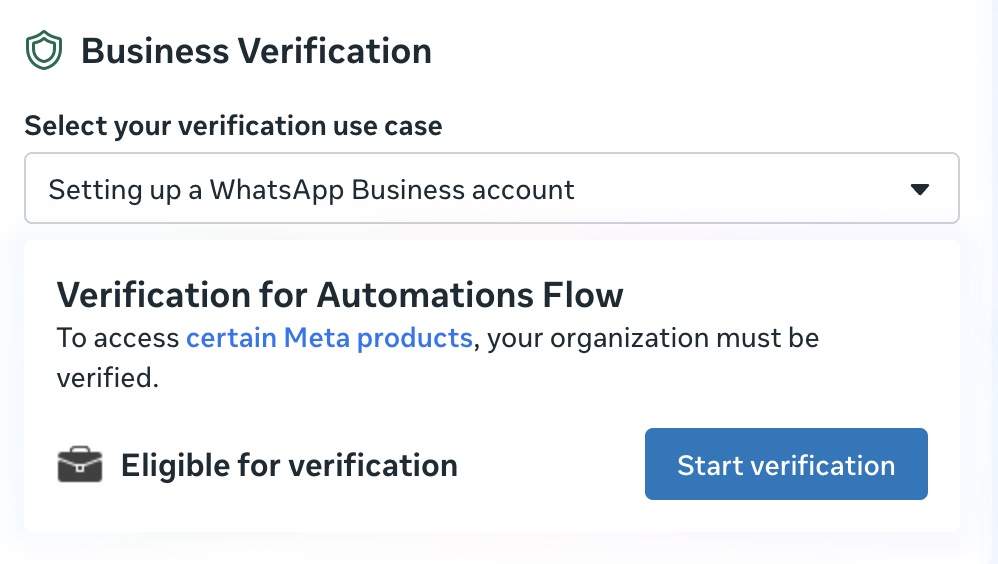
- Verify the business with Meta. In Business Settings, open Security Center and start Business Verification. Upload the documents and add the domain record. Usually 2 to 7 business days, longer when the company name on the documents and the name on the portfolio disagree. Everything else waits on this, so start here.
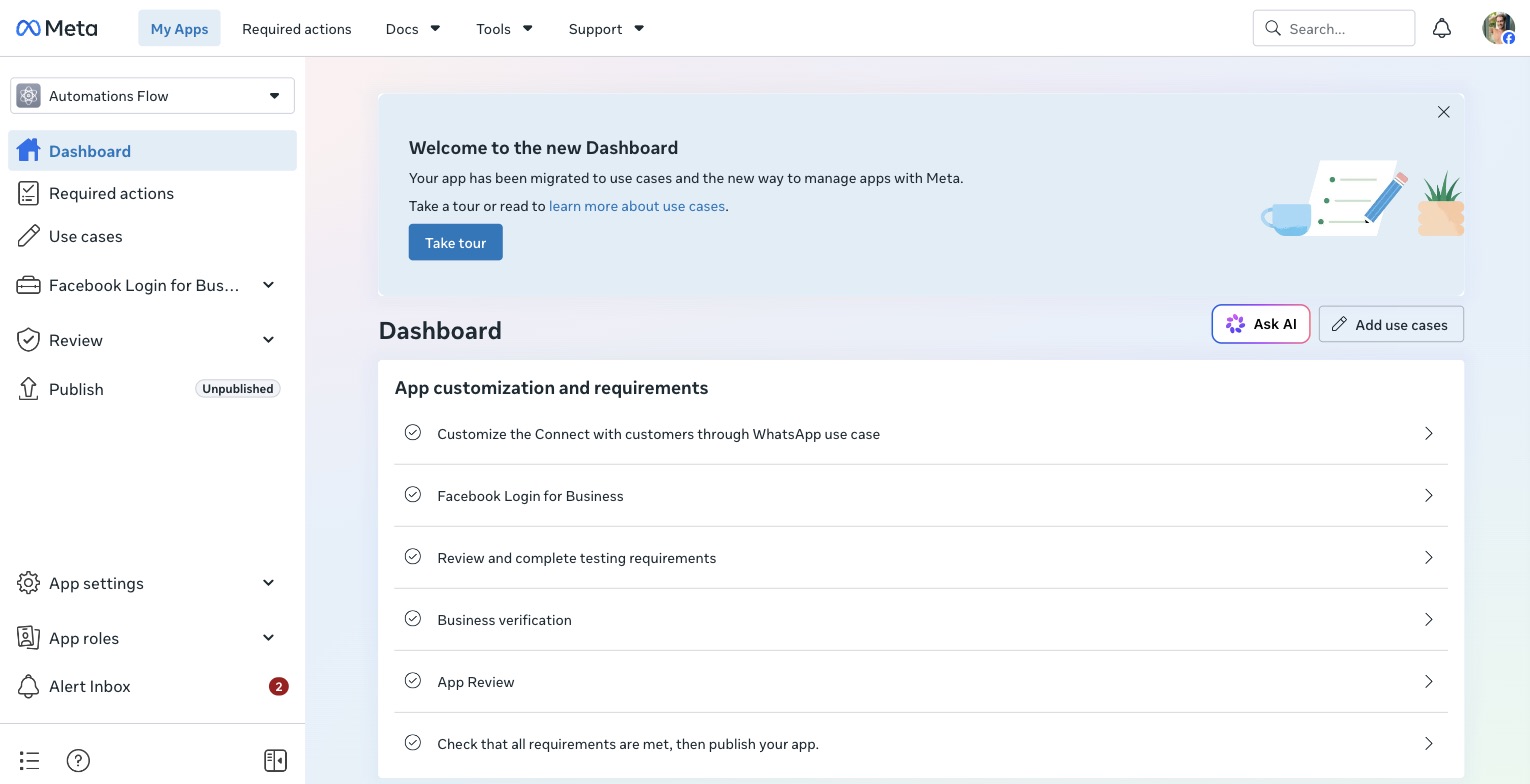
- Create the Meta app. In the App Dashboard, choose the "Connect with customers through WhatsApp" use case. That wires the WhatsApp product in for you.
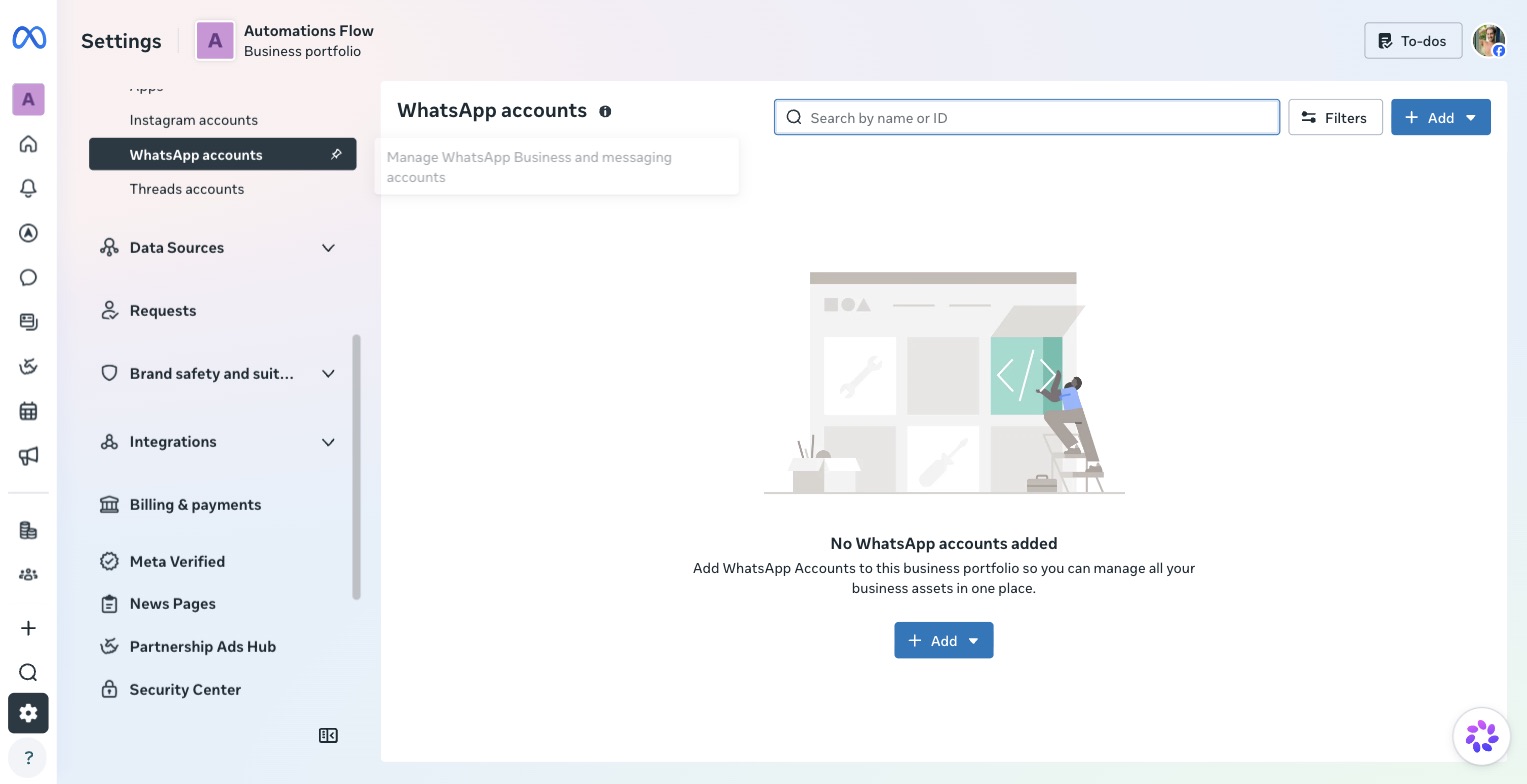
- Connect a WhatsApp Business Account. In the API Setup panel, connect an existing account or create one. Save the WhatsApp Business account ID.
- Add the production number. Register the dedicated number, verify it by SMS or voice call, and set a two-step verification PIN. Store that PIN where you'll find it again, because re-registering the number later needs it.
- Send a test message. Generate a temporary access token, pick a sending number and a recipient, and send. This proves the plumbing before a line of code exists. That token lives 24 hours.
- Create a system user and a permanent token. In Business Settings, under System Users, create a system user, assign it the app and the WhatsApp account, then generate a token with three permissions: `business_management`, `whatsapp_business_messaging` and `whatsapp_business_management`. This is the token production runs on.
- Wire a webhook. Without one you can send messages and never learn what came back, which kills any conversational build.
- Submit message templates. Anything the business sends outside a 24-hour window has to be an approved template. Submit as soon as the wording settles.
The 24-hour window, the idea that governs everything
This is the one concept worth understanding properly, because it decides both what you may send and what you pay.
When a customer messages the business, a 24-hour service window opens. Inside it you can send any free-form message at no cost. Outside it, the only thing you can send is an approved template, and every message is billed.
Templates come in four categories, and the category sets the bill:
| Category | What it carries | Approval time | Billing |
|---|---|---|---|
| Marketing | Promotions, win-backs, anything that smells of a sale | Slowest, up to a day | Always billed, with no volume discount at any scale |
| Utility | Order updates, appointment reminders, failed payments | Minutes to hours | Billed. Free inside the window until 30 September 2026 |
| Authentication | One-time passcodes | Fast | Billed |
| Service | Free-form replies inside the window | No approval needed | Free until 30 September 2026, billed after |
A few technical rules sink most first submissions: template names use lowercase English with underscores, variables are numbered in order ({{1}}, {{2}}) and sit inside a sentence rather than alone on a line, and no emoji in headers or buttons. Video has to be MP4.
Meta re-categorises templates that read as promotional regardless of how you labelled them, and a quiet move into marketing is how a project's messaging bill multiplies.
Consent first: the legal requirement that's easy to miss
Israel requires prior consent before sending marketing messages, under Amendment 40 to the Communications Law, known locally as the spam law. It covers WhatsApp exactly as it covers SMS and email.
In practice: before a marketing-category template goes out, the recipient must have given explicit consent to receive promotional material from the business, and that consent has to be recorded. Utility messages such as an order update or an appointment reminder are not promotional material and don't need it.
Consent moves two things at once. Meta requires opt-in for marketing templates as well, and recipients who didn't expect the message block and report it, which drags the number's quality rating down. Both systems punish the same behaviour.
Before running marketing over WhatsApp, have a lawyer look at how consent is collected and where it's stored.
What it costs
On 1 July 2025 Meta moved from conversation billing to per-message billing. You're charged when a template is delivered, priced by category and by the recipient's country calling code. Where the business itself sits makes no difference.
What costs nothing today:
- Any free-form message inside an open service window, until 30 September 2026
- Utility templates inside that window, until 30 September 2026
- A full 72 hours after a conversation opened from a Click to WhatsApp ad or a Facebook Page button
What changes on 1 October 2026
Meta has published two changes that end most of the free tier, and they land soon enough to belong in any budget you build now.
From 1 October 2026, every service message is billed per message. Service messages are the free-form replies a person or your own AI sends inside the 24-hour window. They have been free since 1 November 2024. From October they are priced like a template.
From the same date, utility templates sent inside the window are billed too. Those have been free since 1 July 2025.
There is a third change already live: since 1 August 2026, Meta charges per token for messages sent by its own Meta Business Agent, one charge covering both the tokens and the delivery.
Meta committed to publishing the exact October rates by 1 September 2026, so the numbers were not available when this was written. What this means in practice: if your plan is an AI agent answering customers inside the window, that conversation volume is about to become a line item instead of a rounding error. Model it before you commit to a build.
Israel is a standalone market on Meta's rate card, with calling code 972. Meta publishes rates as a downloadable file and revises them quarterly, so pull the exact number from there rather than from comparison sites. Most comparison sites drop Israel into a "rest of world" bucket, which overstates the price.
On top of Meta's rate sits the provider's fee, if you work through one.
Direct, or through a provider?
There are two ways to connect, and the choice sets both the monthly cost and who holds the keys.
| Direct Cloud API | Through a solution provider (BSP) | |
|---|---|---|
| Monthly platform fee | None | Roughly $49 to $99 per number |
| Cost per message | Meta's rate | Meta's rate plus the provider's markup |
| Shared team inbox | Build it, or install an open-source tool | Included |
| Template management | API calls or Meta's interface | An interface a non-technical person can run |
| Who holds the keys | You | Partly the provider |
Direct suits an automated flow with no humans in the thread, or volume high enough that a per-message markup starts to hurt. A provider earns its fee when a team needs a shared inbox with named agents, or when nobody in the business is going to maintain a system.
How many messages you're allowed to send
A new account starts at 250 business-initiated conversations per 24 hours. The tiers above it are 2,000, then 10,000, then 100,000, then unlimited.
You reach 2,000 two ways: complete business verification, or deliver 2,000 high-quality template messages within 30 days. Above that Meta scales automatically, one level per 6 hours once the criteria are met.
Quality rating moves the tier in both directions. Blocks and reports from recipients pull it down and the limit follows. A business that wants to message its entire customer list on day one is taking the fastest route to a throttled number.
Where to see whether the connection is actually healthy
Two indicators in Meta's interface tell you whether a number is well, and both are worth knowing before something breaks.
Number status. A number moves through states on the way to production: Pending, Connected, and restricted or disabled when something is wrong. Connected on its own does not prove everything works. A number can read Connected and still receive nothing, usually after a change of ownership. When that happens, the first thing to check is who is listed as a partner on the account.
Quality rating. Meta shows each number a green, yellow or red rating derived from how recipients behave: blocks, reports and complaints. Green is healthy, yellow is a warning worth stopping for, and red arrives before a restriction. That rating also drives your sending tier, so it decides how much you can send tomorrow.
The traps that actually cost time
A number already running WhatsApp has to be cleared first. If it currently runs the consumer app or the Business app, turn off two-step verification on it, then delete that account through Settings, Account, Delete my account, before registering it for the API. The move is one-way and the number cannot go back to the app afterwards. Back up the history first, and expect inbound messages to sit on Meta's servers during the transition. This is why we recommend a fresh SIM. It costs close to nothing next to losing the office's WhatsApp history.
Your previous provider can keep hold of your number. This is the most confusing failure in the whole area, and we've hit it in the field. A business switches provider, configures a new webhook correctly, and inbound messages simply never arrive. The cause sits at the ownership layer: the old provider is still listed as a Partner with full control over the WhatsApp account, so Meta keeps routing inbound traffic to them. It stops there and never reaches you.
Before hunting for bugs on your own server, open Business Settings and check who else appears in the WhatsApp account's partner list. Removing a stale partner restores the traffic. Be aware that the same disconnection empties your system user's permissions, so they have to be reassigned afterwards.
Unverified means 250 a day and no business name. Until the display name passes Meta's review, recipients see a raw phone number in their chat list instead of the business name.
The test number is a demo. Meta gives you a free test number, and it only reaches numbers you added to a list by hand. It proves the wiring and nothing about real delivery.
Template rejection costs days, and the fix is wording. An aggressive offer, a shortened link, or a gap between the text and the business name is enough to get bounced. Plan for a revision round.
Meta's support is slow and has no fast lane. When something sits in review there is nobody to push. That's part of what a solution provider's fee buys.
Frequently asked questions
How long does it take to open a WhatsApp API account?
The technical setup runs in a few hours. Meta's business verification usually runs 2 to 7 business days, and it doesn't start until you have company registration documents, a matching domain and a way to verify it. One to two weeks from the moment the documents are ready is a realistic schedule.
Can we use the office's existing WhatsApp number?
You can, but the WhatsApp account running on it has to be deleted first, and the move is one-way. The number won't be able to return to the regular app. We almost always recommend a new number, because losing the office's chat history costs far more than a SIM card.
What does a WhatsApp API message cost?
Price is set by the template category and the recipient's country calling code, and you're charged only on delivery. Marketing is the expensive category and carries no volume discount. Utility and authentication cost much less. Israel is a standalone market on Meta's rate card, which is revised quarterly. One date to diary: from 1 October 2026 the free replies inside the 24-hour window become chargeable, so a support or AI-agent workload that costs nothing today will carry a per-message price.
What is a message template and why does it need approval?
A template is fixed wording with variables, approved by Meta in advance. It's required for any message the business initiates outside the 24-hour window since the customer's last message. Inside the window you can write freely with no approval.
Do we need a provider, or can we go direct to Meta?
Direct works, and then there's no monthly platform fee and you pay only Meta's rate. A provider is worth the cost when a team needs a shared inbox with named agents, or when nobody in the business will maintain a system. Settle this before you start, because it changes the monthly cost.
Can we message our whole customer list?
Technically yes, practically it's the fastest way to get the number throttled. A new account is capped at 250 conversations a day, the tiers rise gradually, and quality rating drops on blocks and reports. Marketing to a cold list over WhatsApp almost always ends badly. In Israel it also needs recorded prior consent.
What about the unofficial WhatsApp connectors?
Tools exist that connect to WhatsApp without the official API, and they're cheap and tempting. They also get blocked without warning, taking your customer communication with them. That's not a foundation to run a business on.
Where to start
If you're weighing up connecting WhatsApp to your systems, the first decision is about ownership: who holds the WhatsApp Business Account. It should be registered to your company, with your number and your billing, even when an outside team builds the system. That's what keeps the system yours at the end.
If you're still working out what should run behind WhatsApp, we wrote a separate guide on the difference between a chatbot and an AI agent, and that decision sets how much work this actually is.
The other half, what runs once the account is open, is what we build as WhatsApp agents.
From there, book a mapping call and go through the processes WhatsApp is meant to serve, before an account gets opened at all.