AI agents and your CRM: how to connect them without making a mess
A business uses AI agents with its CRM by giving each agent a few narrow jobs (take in a lead, summarize a call, chase a stale deal) and letting it read and write only the records those jobs need. The CRM stays the one place the truth lives. The agent is another user on it, one that works at night and never forgets to log the call.
The hard part is keeping the CRM clean once the agent is in. Our first WhatsApp sales agent wrote to the lead system on every message, and the business ended up with half-finished, duplicate records for people who'd sent three messages and left. Everything below is what we changed after that, and what we've built into every CRM connection since.
Last updated: November 17, 2026
How can a business use AI agents with its CRM?
Use agents for the CRM work your salespeople put off: logging what happened, filling fields, reminding, and preparing. The salesperson keeps the conversation with the customer and the decisions about the deal.
In practice an agent connects to the CRM through tools. Each tool is one action: find a contact, create a lead, add a note, move a deal to the next stage, read the pipeline. The agent decides when to call a tool, and the tool does the exact write in code, with the fields and formats your CRM expects.
That split matters more than which CRM you run. An agent that writes free text into records fills the CRM with creative spelling. One that calls a "create lead" tool that checks the phone number, fills the required fields and refuses a duplicate leaves records your team can sort and report on.
If you're still deciding whether you need an agent at all, our guide to AI agents for business covers the wider picture.
What jobs can an AI agent do in a CRM?
An agent can take most of the typing and remembering off a sales team. The table below is the set we build most often, and the column that matters is the last one.
| Job | What the agent does | What a person still does |
|---|---|---|
| Lead intake from WhatsApp and the website | Answers the first messages, asks the qualifying questions, writes one lead with a short summary | Calls the serious ones and decides what to offer |
| Meeting and call summaries | Reads the transcript and fills the CRM fields: budget range given, decision maker, next step, date | Checks the summary on deals that matter and fixes what's wrong |
| Follow-up reminders | Creates the task with the right date and drafts the message | Sends it, or edits it first |
| Enrichment before a call | Pulls company size and the person's role into a short brief on the record | Reads it in 2 minutes before dialing |
| Stale-deal nudges | Flags deals with no activity for a set number of days and tells the owner what was last said | Decides whether to push the deal or close it |
| Weekly pipeline report | Pulls stage changes, new leads and stuck deals into one page at the start of each week | Talks about it in the meeting |
Notice where the line falls. The agent owns the records and the reminders. People own the relationship and every decision that commits the business to something.
Does an AI CRM actually reduce manual work for sales teams?
Yes, when the agent writes clean records. A messy agent adds work, because someone has to find and merge the duplicates it creates.
The manual work in most CRMs is typing up calls, copying leads in from WhatsApp or web forms, setting reminders and building the weekly report. An agent can take almost all of it. Salespeople fall behind on updates because the next call is always more urgent; the agent updates the record whether or not anyone feels like it.
The catch is trust. A sales team stops using a CRM the moment the data looks wrong. If the agent creates 2 records for the same customer, or a deal shows as open after it closed, people go back to their own spreadsheets and the agent is now feeding a system the team has abandoned. So the design rules below matter more than the model you pick.
For the broader sales picture (prospecting, proposals, forecasting), see our AI automation guide for sales teams.
How do you connect a WhatsApp or chat agent to your CRM without duplicate records?
Write one record per conversation, after the conversation has settled, and match every new contact against existing ones by normalized phone and email first.
Our WhatsApp agent originally created or updated the lead after every message. A customer would write "hi", then "how much for Thursday?", then "actually, Friday", and the CRM got a fresh, half-filled record at each step. Some of them collided and became duplicates. The sales team got notified about a lead that wasn't a lead yet.
Now the agent leaves the CRM alone while the conversation is moving. A scheduled job checks for conversations that have gone quiet or reached a clear state (the customer gave their details or said no). It writes one lead record to the business's lead system, with a summary a salesperson can read in 10 seconds: who they are, what they want, what they were told, and what they're waiting for.
Before any record is created, the job looks for an existing contact. Phone numbers arrive from WhatsApp, web forms and imported lists in different shapes: with a country code, without one, with spaces, with dashes, and sometimes with invisible formatting characters copied from another app. We strip the invisible characters and convert every number to one format before matching. Emails get lowercased and trimmed. Only when nothing matches does a new contact get created. Otherwise the agent adds to the record that's already there.
It's a small piece of code. It decides whether your CRM grows or needs cleaning every month.
How do AI agents keep the CRM updated across the whole sales cycle?
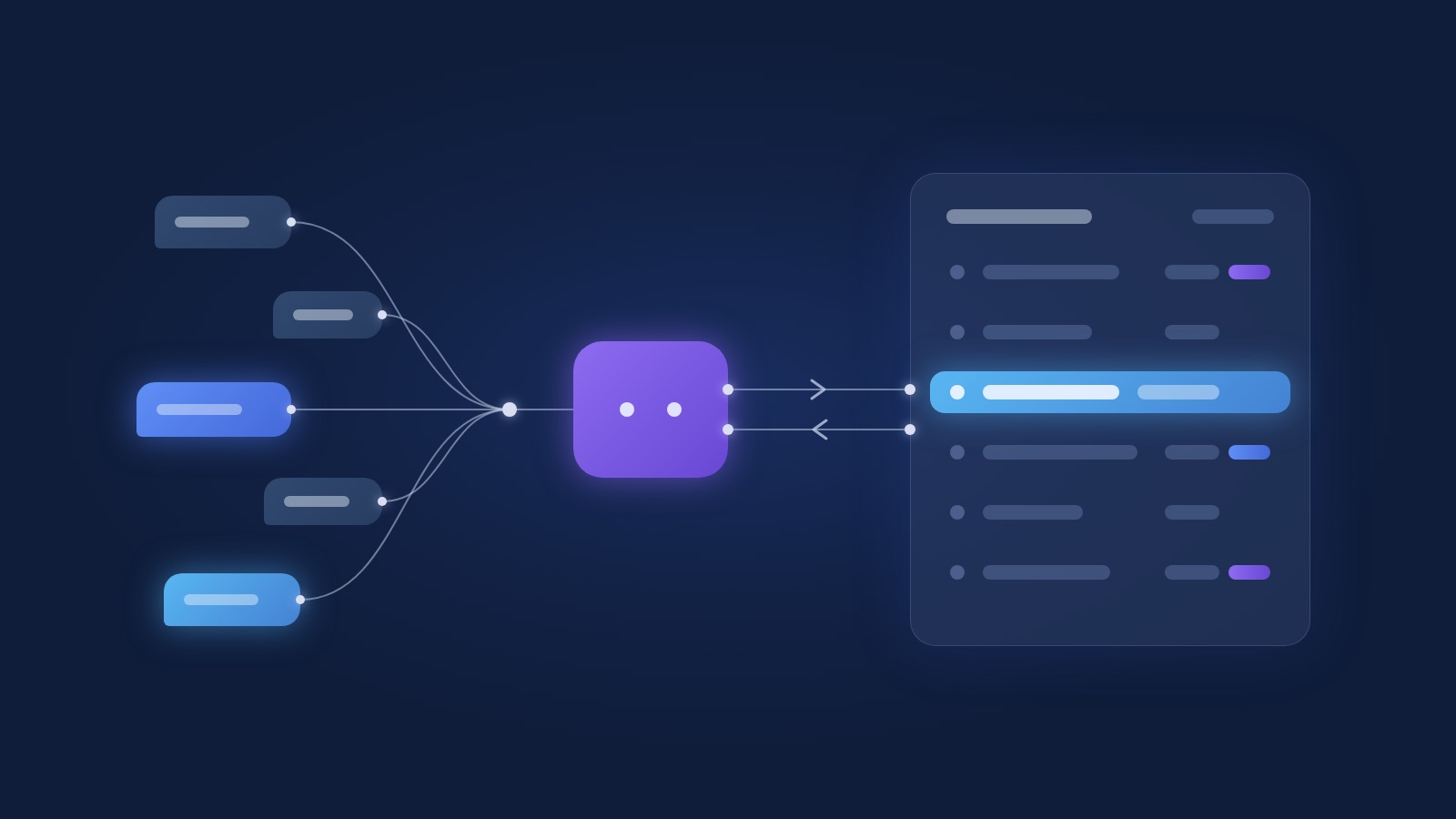
They keep it updated by reading the same status your team uses, in both directions. The agent has to know when a person has taken over and when a deal is done, and the CRM has to know what the agent did.
Every conversation our agents handle has a status: bot or human. When a salesperson takes over a conversation, the status flips to human and the agent stops replying. When the deal closes, follow-ups stop. Without it, a customer who just paid gets an automatic "still interested?" two days later.
We learned the harder version on our own operations hub, which tracks work for clients whose teams use their own apps. The status lived in two places, and they drifted. Work that was already closed in the client's app kept showing as new in ours. People stopped trusting the page and went back to asking each other on WhatsApp.
So we built two-way status sync. A status changed in either place shows in both, and the newest change wins. One detail turned out to matter for the clients' IT teams: our hub never calls into a client's network. The client's app pulls changes on a schedule. A change made in the hub is a request, and the app settles it on its next pull. That way the client's system decides what's true about its own data, and the client's IT team keeps its firewall closed.
The same pattern works for an agent and a CRM: the CRM holds the status, and the agent reads it before acting and writes to it when something changes. Two copies of a status updated separately will drift apart.
What rules keep an AI agent from making a mess of your CRM?
We follow 4 design rules on every CRM connection, each one learned from something going wrong.
- One source of truth. The CRM holds the customer record. The agent can keep its own conversation history, but anything a salesperson reports on (stage, owner, value, next step) lives in the CRM and nowhere else.
- Write once, when settled. The agent writes at the end of a meaningful step: a conversation that reached a clear state, a call that ended, a deal that moved. Writing on every message is what filled our first agent's CRM with duplicates.
- Shared status, both ways. Bot or human, open or closed. The agent reads the status before it acts and stops when a person or a closed deal says so.
- Scoped permissions and an audit trail. The agent can touch only the records and fields its job needs, and every write is logged with what changed and why.
A strong model with careless writes will still wreck your data, and a modest model with these 4 rules will keep it clean.
What permissions should an AI agent have in your CRM?
Give each agent the smallest set of reads and writes its job needs, checked on every request, and have a person approve anything that's hard to undo.
Our agents each get a scoped token. Every route in the system checks what that specific agent may read or write before doing anything. A lead-intake agent can create leads and add notes. It can't change a deal's value, delete a contact or export the list.
We learned how fragile this is the uncomfortable way. During a review of our own hub we found 11 routes that had shipped without the scope check. The check existed, but in the code it was optional: a developer had to remember to add it to each new route, and 11 times it was forgotten. We made it required, so every route now has to declare its scope. A permission check that's optional is one that eventually never runs.
For actions with real consequences (a discount, or a message to a customer who's already in a dispute), the agent prepares the action and a person approves it on one screen. The system then confirms back that it happened. Every action, approved or automatic, lands in an audit trail, so "who changed this deal?" always has an answer, even when the answer is the agent.
If you're designing the permission model for a whole team, people and agents together, see CRM permissions.
Should you connect an agent to your existing CRM or build a custom CRM?
Connect to the CRM you have when its API lets the agent do the jobs above. Build a custom one when the platform's API or data model keeps getting in the way.
Most businesses should start with what they have: the team knows it and the data is already there. The trouble starts when those actions don't exist, or exist with limits that break the flow.
| Situation | Connect to your current CRM | Build a custom CRM |
|---|---|---|
| The API covers create, update, search and notes | Yes | No reason to |
| You need a status the platform can't hold (bot or human, approval pending) | Possible with custom fields, often clumsy | Easier, the status is a column you own |
| API rate limits block the scheduled job or the weekly report | You'll fight it constantly | The limit is yours to set |
| Required fields the agent can't know at intake time | Workarounds and placeholder values | You design what's required and when |
| Strict access rules per team, region or role | Depends on the plan and the platform | Built to your rules |
| Your process is the standard sales funnel | Yes | Usually overkill |
We've built CRMs from scratch for clients when their process didn't fit any platform: approval steps the CRM couldn't model, or field teams who needed to see only their own records. An agent can also help build one, mostly by generating the boring parts (forms and imports), but the data model still needs a person who understands the business. More on that decision in when a custom CRM makes sense, and our comparison of monday, Fireberry and HubSpot if you're picking a platform.
What should you check before connecting an AI agent to your CRM?
Check what the API allows, what the CRM forces you to fill in, and who owns duplicate handling. These 3 decide whether the connection is a week of work or a month of workarounds.
- API limits. How many calls per minute and per day, and what happens when you hit them. A scheduled job that syncs 500 conversations at once can hit a limit that a single agent reply never would.
- Required fields. Some CRMs refuse a lead without a field the agent can't know yet, like a deal owner or a product line. Decide in advance what the agent fills, what gets a default, and what a person completes later.
- Who owns dedup. Does the CRM merge duplicates itself, does a separate tool do it, or does the agent's code? Only one of them should. Two systems merging the same records will merge them differently.
- What the CRM sends back. Can it notify the agent when a status changes (a webhook), or does the agent have to ask on a schedule? Either works. You need to know which before you design the sync.
- A sandbox. A test copy of the CRM where the agent can write freely. Some plans include one and some don't.
How do you start connecting an AI agent to your CRM?
Start with one flow, and put a person's approval on every write until the records look right for a few weeks.
Pick the job that costs your team the most typing (usually lead intake or call summaries) and build only that. Let the agent prepare each record and have a salesperson approve it with one click. You'll find the field mapping mistakes and the duplicate cases in the first week, while they're still cheap to fix.
When the approvals stop turning up corrections, drop approval for the routine writes and keep it for the ones with consequences. Then add the next job. Each new flow goes through the same rules: one write when settled, the shared status, scoped permissions, the audit trail.
Test the agent against real conversations before it touches production data. Our guide to testing an AI agent walks through how we build that test set, and how to build an AI agent covers the agent itself. If you want us to do the CRM side, that's our CRM service; the agent side is AI agents.
FAQ
Can an AI agent update my CRM automatically?
Yes. It updates the CRM through tools that find contacts, create leads, add notes and change stages, using the CRM's API. Start with a person approving each write, then let routine writes run on their own once they've been accurate for a few weeks.
How do I stop an AI agent from creating duplicate contacts?
Normalize phone numbers and emails before matching (strip invisible characters, unify the format), search for an existing contact first, and write one record per conversation after it settles. Decide which system owns merging, and make sure only that one does it.
Which CRMs work with AI agents?
Any CRM with a decent API can work with an agent, which covers most of the platforms Israeli businesses use. The real questions are the API's rate limits, which fields it requires and whether it can hold the statuses your process needs.
Will an AI agent replace our salespeople?
The agent takes the logging and the reminders off their plate. Your salespeople keep the conversations that close deals and every decision about price and terms.
Is it safe to give an AI agent access to customer data?
It's as safe as the permissions you give it. Scope each agent to the records and fields its job needs, check that scope on every request, require approval for actions that are hard to undo, and log everything in an audit trail.
Next step
If your CRM is always a week behind what your sales team actually knows, talk to us. We'll look at the flow that costs you the most typing and tell you whether an agent should take it.