How to build an AI agent for your business that holds up in production
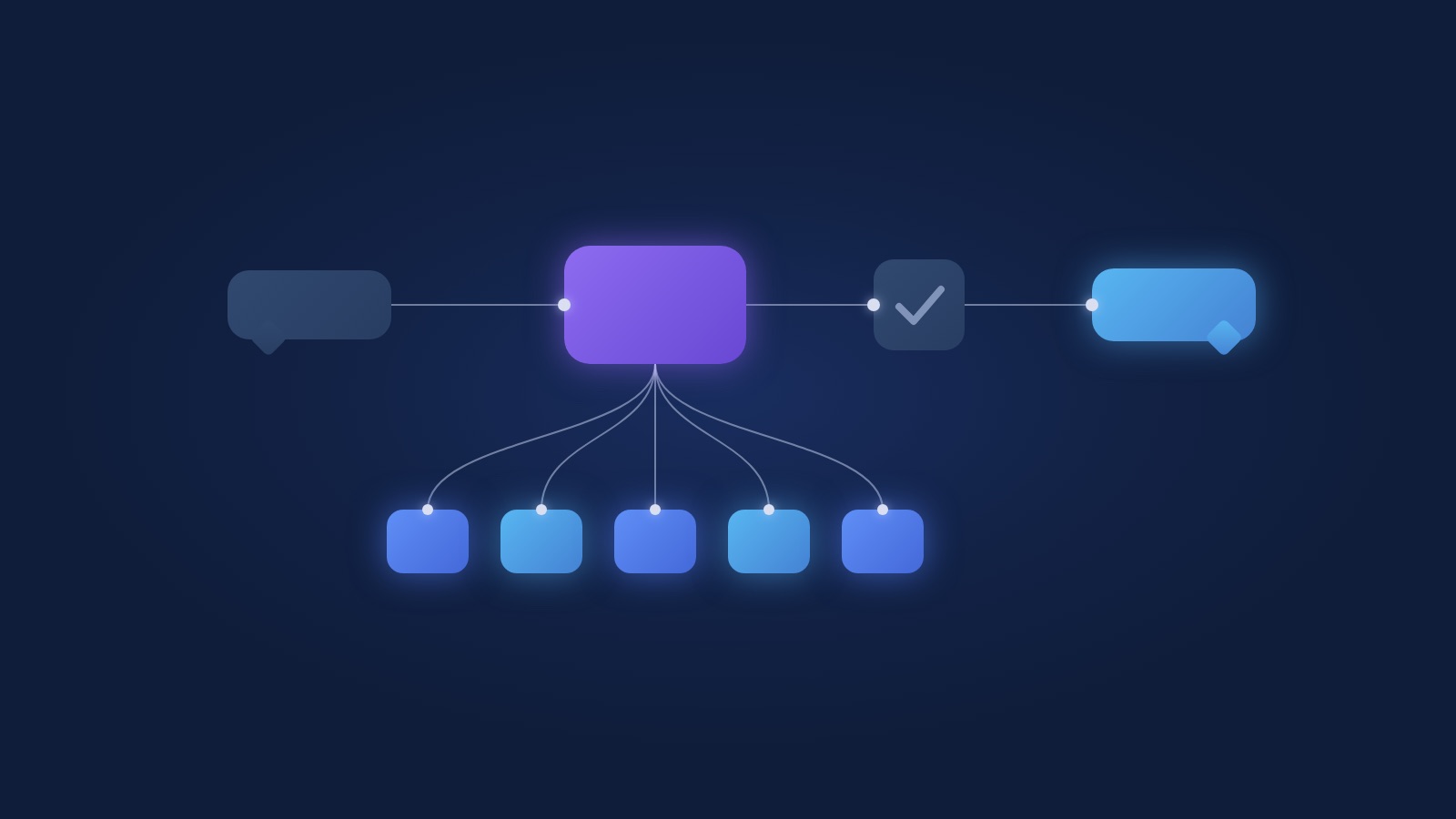
The short answer: one model call per step, a handful of tools, your facts in one file, a small check before anything goes out, and a set of tests built from real conversations. Most of the work is deciding what the model owns and what your code owns. The rest is restraint.
We learned this the expensive way. Our first version of a WhatsApp sales agent took 148 code changes in 4 weeks and still broke one reply every time we fixed another. The rebuild took days, and it's the version that works. Everything below comes from that rebuild and the agents we've shipped since.
Last updated: November 17, 2026
What does an AI agent need to work in production?
A production agent needs 5 parts: a prompt that states principles, a file of approved facts, a few tools that do the exact work, a final check on every reply, and a test set. Anything beyond that has to earn its place.
Here's what happens when a customer writes:
- The message arrives, and the agent loads the conversation so far plus the facts file.
- One model call reads all of it and decides what to do: answer, ask something, or call a tool.
- If it calls a tool (look up a price, save the lead, hand off to a person), the tool runs in code and returns a result to the model.
- The model writes the reply.
- The final check looks at the reply. If it passes, it's sent. If it fails, a person sees it instead.
That's the whole loop. The model reads the conversation and works out where it stands, which is the thing language models are actually good at.
If you want the wider view first (what agents can own, where they still need a person), start with our guide to AI agents for business.
Why do simple AI agents beat complex ones?
Simple agents win because every bad reply has exactly one place to fix it. In a complex agent, three different parts write each reply, and a fix in one of them breaks the other two.
Our first version had three authors per message. A 6-state machine in code decided what stage the conversation was in. The model wrote the words inside that stage, guided by a 2,600-word prompt of edge cases. Then 300 lines of text rules inspected the reply and blocked or rewrote parts of it.
So when a reply came out wrong, which author was to blame? Usually all 3, a little. We'd add a state, a rule and a paragraph to the prompt, and the next conversation would trip over the new rule. 148 changes later the agent was harder to predict than on day one.
The rebuild has one author: the model. Code supplies the facts and does the actions. The words are the model's. When a reply is wrong now, we can point at the line that caused it.
What should the model own, and what should code own?
The model owns the words and the flow of the conversation. Code owns everything that has to be exact, and everything that changes something outside the chat.
| Job | Owner | Why |
|---|---|---|
| Writing the reply | Model | Tone and phrasing are what models do well |
| Deciding what to ask next | Model | A fixed script breaks on the first unexpected message |
| Prices and quotes | Tool | A number a customer sees has to come from your price table |
| Dates and availability | Tool | Only the calendar knows what's free |
| Saving the lead to the CRM | Tool | One clean write, with fields your team relies on |
| Handing off to a person | Model decides, tool executes | Judgment on when, code on how |
| Sending files and links | Tool | Only approved material goes out |
| Blocking a bad reply | Final check | A last line that the model can't argue with |
A useful test for any rule you're about to write: if breaking it once would cost you money or trust, it goes in code. If it's about judgment or tone, it goes in the prompt.
How many tools does an AI agent need?
Most business agents need 3 to 7 tools. Ours for WhatsApp sales has 5: look up a price, save the lead, hand off to a person, send material, and ask the business owner a question it can't answer.
A few things make tools work well:
- One verb per tool. "Look up a price" is a tool. "Handle pricing" is a project.
- Tools return facts, or say they found nothing. If the price tool has no price for a request, it says so, and the model tells the customer someone will get back to them. A tool that guesses hands the model a confident wrong answer.
- The tool description is an instruction. The model decides when to call a tool from its name and description, so write them as carefully as the prompt. "Call this before stating any price" does more than a paragraph in the prompt.
- Writes happen once. The save-lead tool runs once, when the conversation settles. Your CRM stays readable.
When you find yourself wanting tool number 12, check whether two of them are the same verb.
How do you write the prompt for an AI agent?
Write the prompt as principles with a few real examples, and keep it short enough that a new employee could read it in 5 minutes. A prompt full of edge cases is a sign that something belongs in a tool or in the facts file.
A good prompt covers 4 things: who the agent is and who it talks to, what a good conversation ends with, how it should sound, and when to bring in a person. Then 3 to 5 example exchanges from real conversations, including one where the agent does less than it could.
Facts live outside the prompt, in their own file, and each fact is marked as one of two kinds:
- Say: the agent can quote it. "Delivery takes 3 working days."
- Know: it shapes judgment and is never spoken. "Customers often lower their numbers after the first call."
We added this split after an internal note of exactly the second kind reached a customer word for word. Once the facts are marked, the business owner can review the "say" list on one page and approve it, which is also how you keep them in charge of what their agent tells people.
What should the final check before sending look like?
The final check should be small: an empty reply, a link that doesn't point to the business's own site, and a price no tool supplied. If any of those fail, a person sees the reply before the customer does.
It's tempting to keep adding checks. A rule for pushy replies, a rule for the word "discount", a rule for questions about competitors. Each one sounds reasonable, and together they become a second model, written in regular expressions, that understands the conversation worse than the first one. That's how our first version got its 300 lines.
Anything about tone or judgment belongs in the prompt and the tests. The final check is for the few things that must never happen.
How do you fix a bad reply from an AI agent?
You turn the bad reply into a failing test first, then change one thing in one place, and ship only when that test and every older test pass.
Every fix lands in one of 4 places: the facts, the prompt, a tool or the model.
| What went wrong | Where the fix goes |
|---|---|
| It said something untrue or out of date | The facts file |
| It said something true that it shouldn't have | Move the fact from "say" to "know" |
| It pushed, rambled or missed the point | One principle in the prompt, with an example |
| It got a number or a date wrong | The tool that should have supplied it |
| It keeps missing nuance after all of the above | A stronger model |
The one thing that's off the list: a new code rule about what customers write. That fix works on the example in front of you and breaks on the next one.
Our test set started with 20 real conversations. A second model scores every reply against approved facts and a fixed list of criteria, and we read the report. Every reply the business owner flags becomes test 21, 22, 23. The guide to AI agents for business walks through the testing loop step by step.
Which model and framework should you use?
Use the strongest model you can justify for anything a customer reads, and keep the framework thin. A plain loop around the model's API with your tools is enough for most business agents.
We moved our WhatsApp agent to a stronger model after a cheaper one kept missing small signals: a customer who was clearly comparing options, a question asked twice because the first answer dodged it. One lost lead costs more than a month of the difference. For agents that only read documents or sort email, a smaller model is often fine, and your test set tells you which.
On framework: tools like n8n are great for the work around the agent (triggers, CRM sync, follow-ups, reports), and we use them for exactly that. The conversation itself we keep in code, close to the model. If you're weighing that split, see n8n vs Python.
How long does it take to build an AI agent?
A single well-scoped agent usually takes a few weeks from mapping to production. Most of that time goes to the facts, the tools' connections to your systems and the test set, and very little goes to the model.
Our rebuild took days because the slow parts already existed: approved facts, real conversations to test against and working connections to the CRM. If you're starting from zero, budget the time for those, and you'll get an agent you can keep changing for years. Our automation project process shows what each stage looks like from your side.
FAQ
Can I build an AI agent without a developer?
You can build a prototype with no-code tools in an afternoon. Taking it to production with real prices, CRM writes, a final check and a test set usually needs someone who writes code, because those are the parts that have to be exact.
Should an AI agent use a state machine or a flowchart?
Rarely, for conversations. A fixed flow breaks on the first message that doesn't fit it, and patching the flow is how agents get complicated. Let the model manage the flow and keep the exact steps in tools. Flows still make sense for back-office work with fixed steps.
How do I stop an AI agent from making up prices?
Keep prices only in a tool the agent has to call, and have the final check block any reply with a figure no tool returned. Then an invented price can't reach a customer.
How do I know when the agent should hand off to a person?
Write it as a principle in the prompt (a serious buyer, an upset customer, a question outside the facts) and give the agent a handoff tool. Then test it: several of your 20 scenarios should end in a handoff, and the judge checks that it happened at the right moment.
Is a WhatsApp AI agent different from a website chat agent?
The architecture is the same. WhatsApp adds the Business API, message templates for anything sent after 24 hours of silence, and customers who write in short bursts. Our WhatsApp Business API guide covers the setup side.
Next step
If you have a conversation your team has 30 times a week and an agent should take the first part of it, talk to us. We'll map it with you and tell you honestly whether it needs an agent at all.